
👉 Note: These operations are common across all screens.
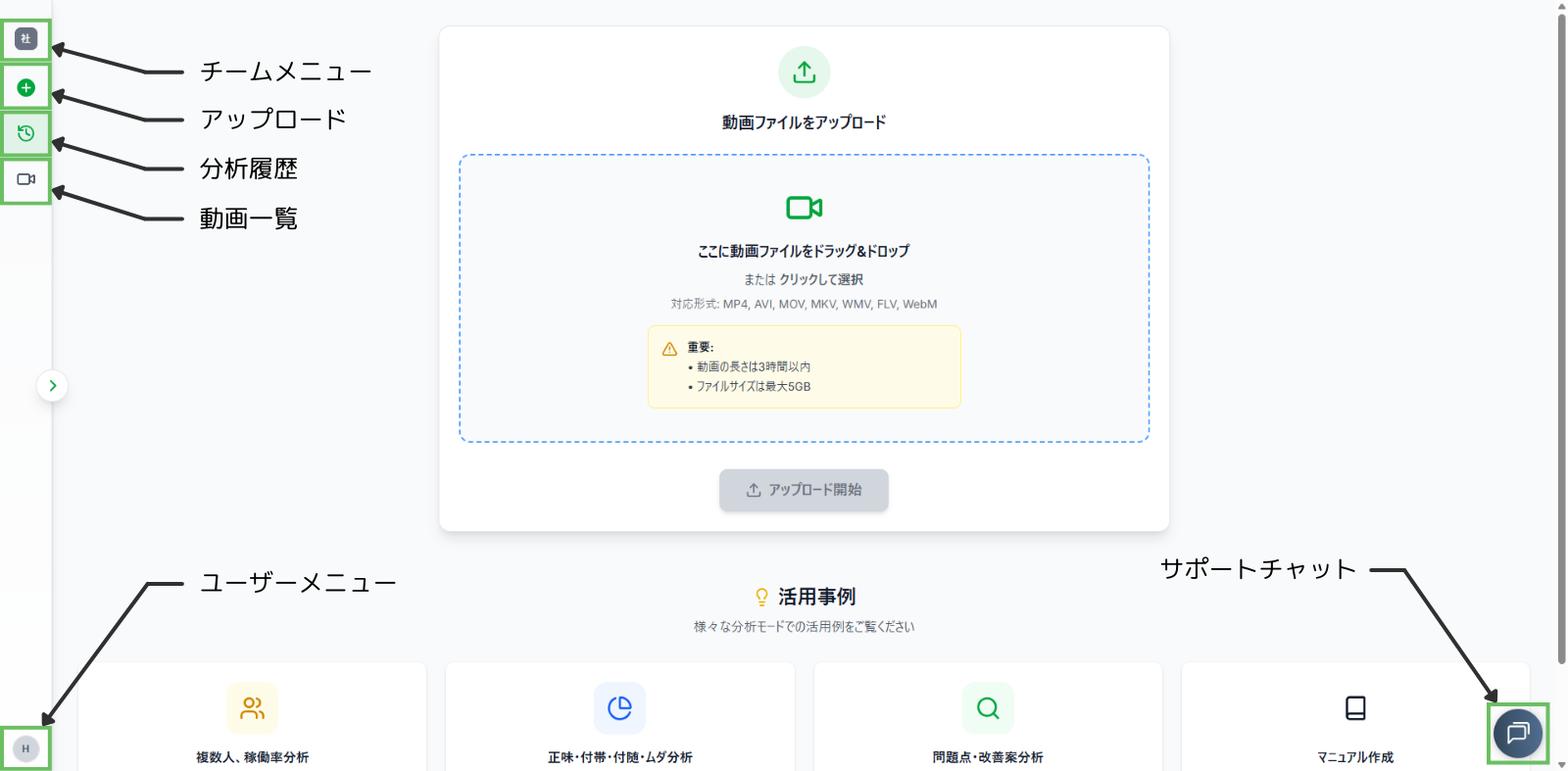
- Team Menu: Switch the displayed team or manage team members.
- Upload: Navigate to the file upload screen.
- Analysis History: View a list of past analyses, sorted by date and time.
- Video List: View a list of previously uploaded videos, sorted by upload date and time.
- User Menu: Access the settings screen or log out of your account.
- Support Chat: Ask questions directly to our support desk.
Switching Teams
👉 If you are a member of multiple teams, you can switch between them using the steps below.
Step 1. Click the Team Menu.
Step 2. The menu will display the following (from top to bottom):
- Currently Displayed Team
- Settings / Members
- Teams List
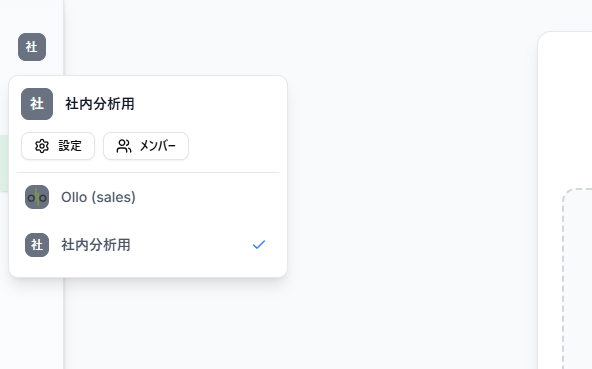
Step 3. Click the team you wish to switch to.