---
title: Sign-in Options
description: "How to create your ollo-tools account: accept the email invitation, verify your address with a 6-digit code, and set up your username and password."
---
[コンテンツまでスキップ](https://knowledge.ollo.jp/ja/sign-in-options-en#main-content)
日本語
翻訳のサブメニューを表示
[](https://knowledge.ollo.jp/ja?hsLang=ja)
- [製品ページ](https://ollo.jp/ollo-factory)
- [会社概要](https://ollo.jp/about-us)
メインナビゲーションを開く
メインナビゲーションを閉じる
- [製品ページ](https://ollo.jp/ollo-factory)
- [会社概要](https://ollo.jp/about-us)
- 日本語
翻訳のサブメニューを表示
何かお困りですか?
- 検索フィールドが空なので、候補はありません。
1. [Tools](https://knowledge.ollo.jp/ja?hsLang=ja)
2. [English](https://knowledge.ollo.jp/ja/english?hsLang=ja)
# Sign-in Options
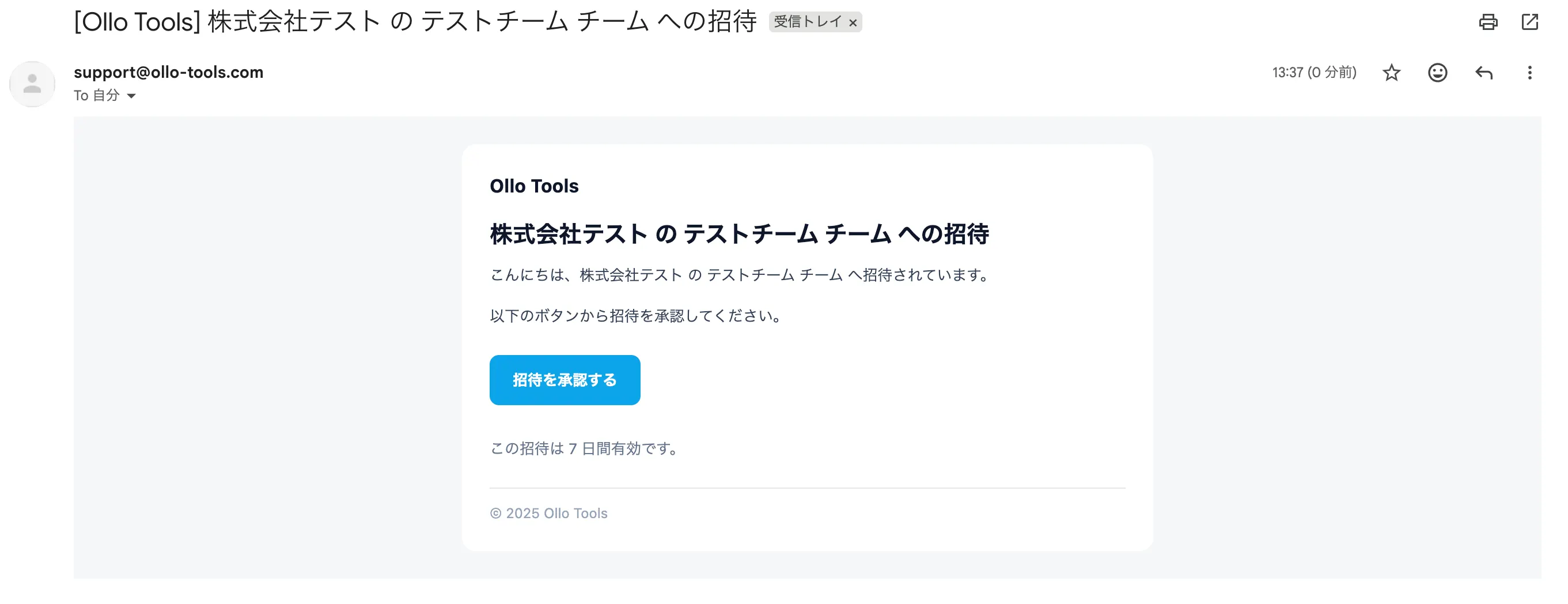
### Step 1: Receive Invitation \[Via Email\]
You will receive an invitation email from our support account (**support@ollo-tools.com**). Open the email and click the **"Accept Invitation"** button.
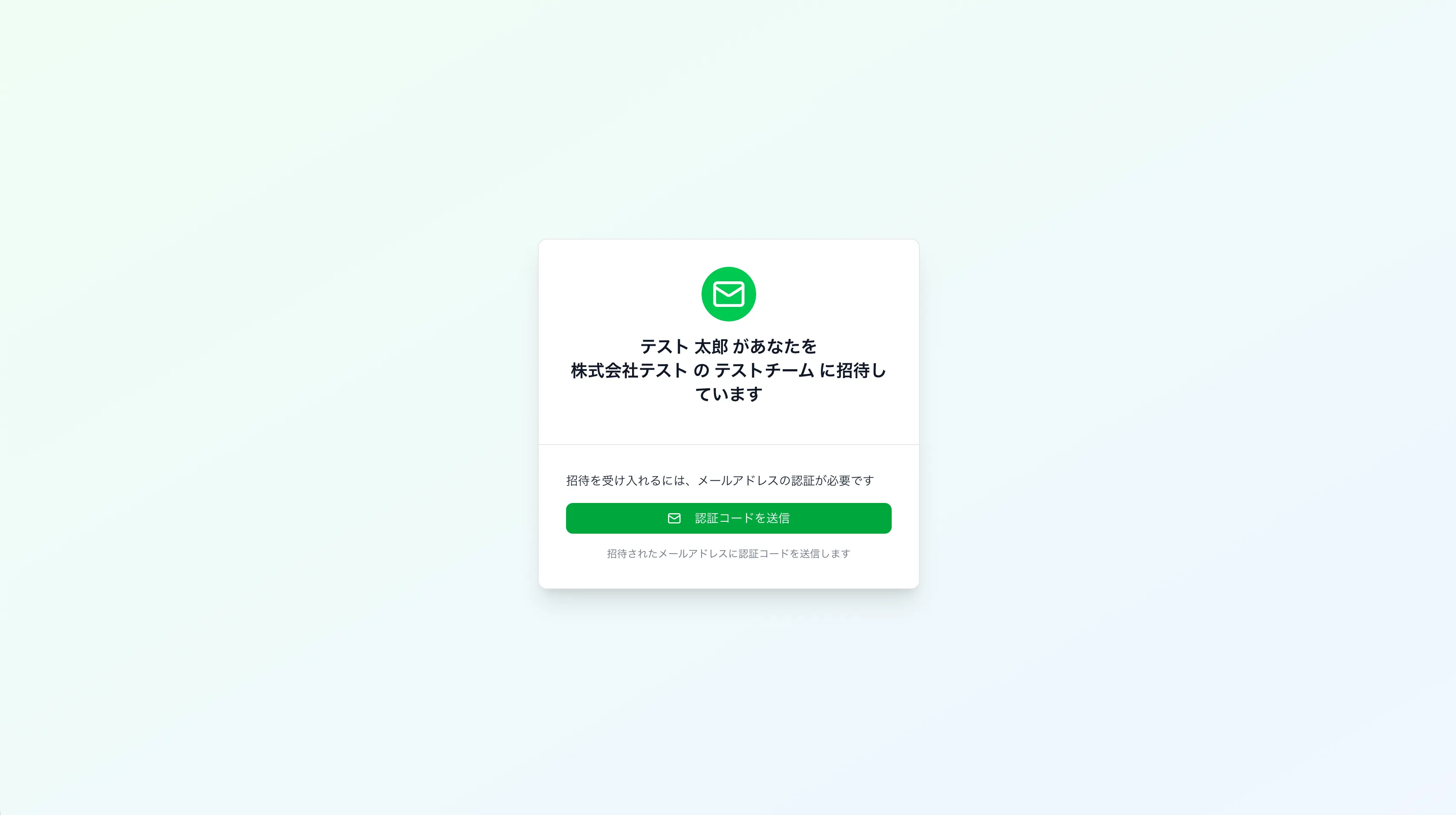
### Step 2: Send Verification Code \[On Browser\]
On the page that opens, confirm your company and team names, then click **"Send Verification Code."**
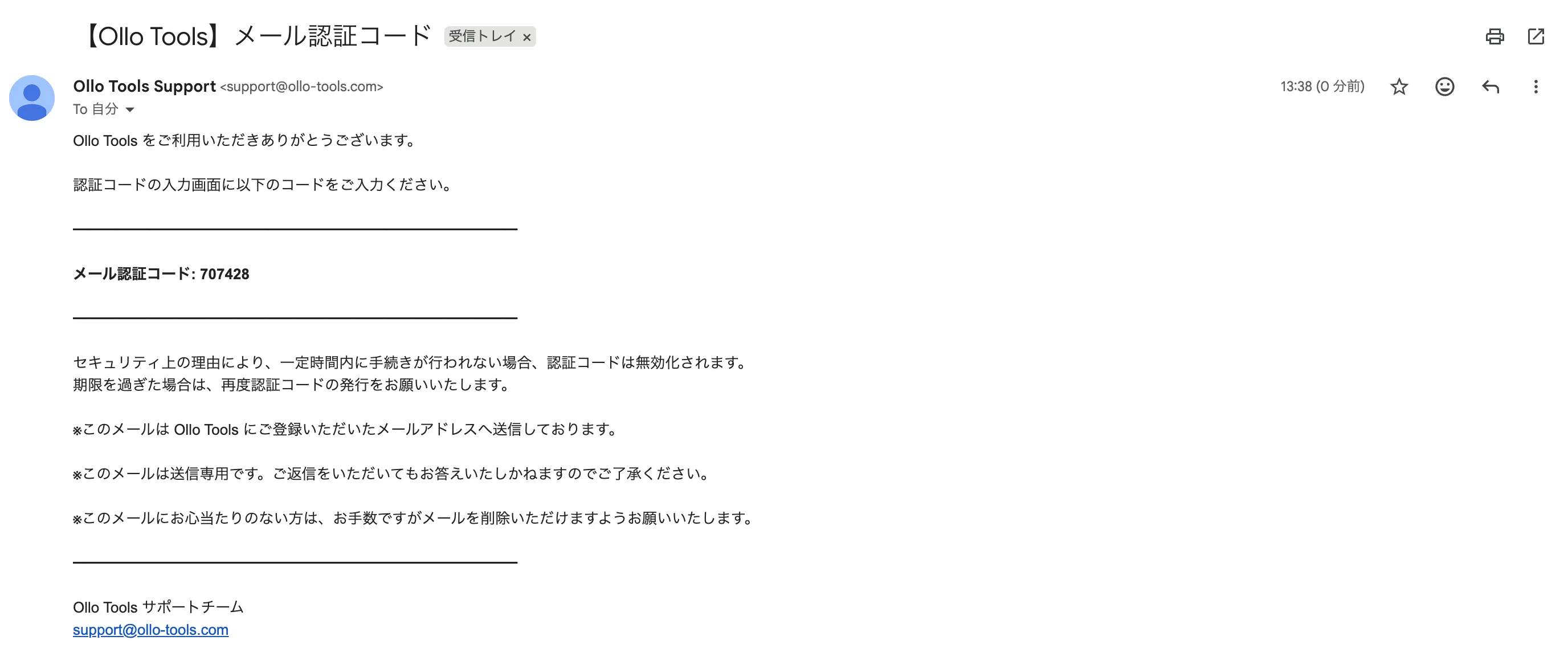
### Step 3: Receive Verification Code \[Via Email\]
A 6-digit verification code will be sent to you from our support team via email.
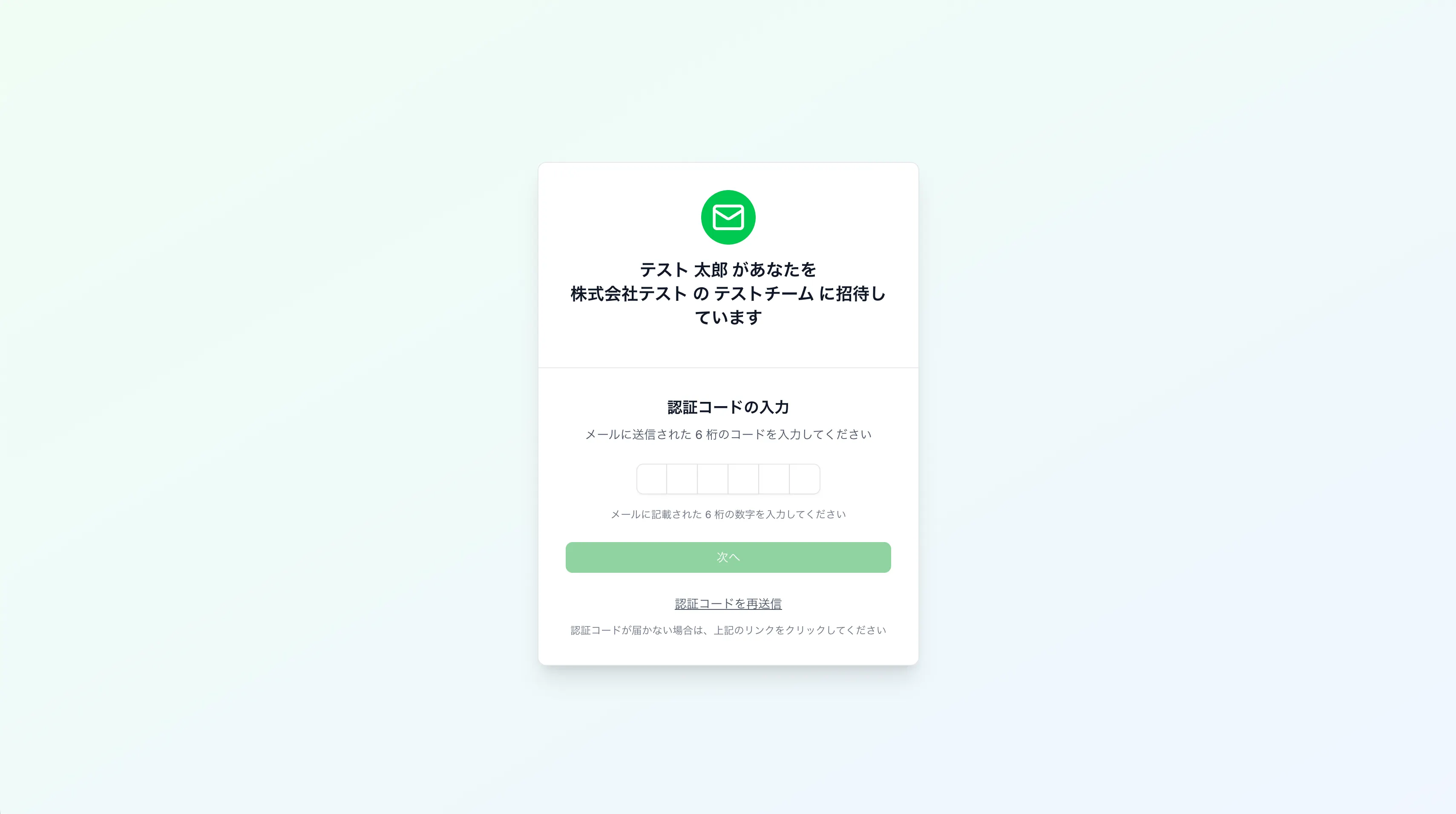
### Step 4: Enter Verification Code \[On Browser\]
Enter the 6-digit verification code you received in **Step 3** into the input field on your browser.
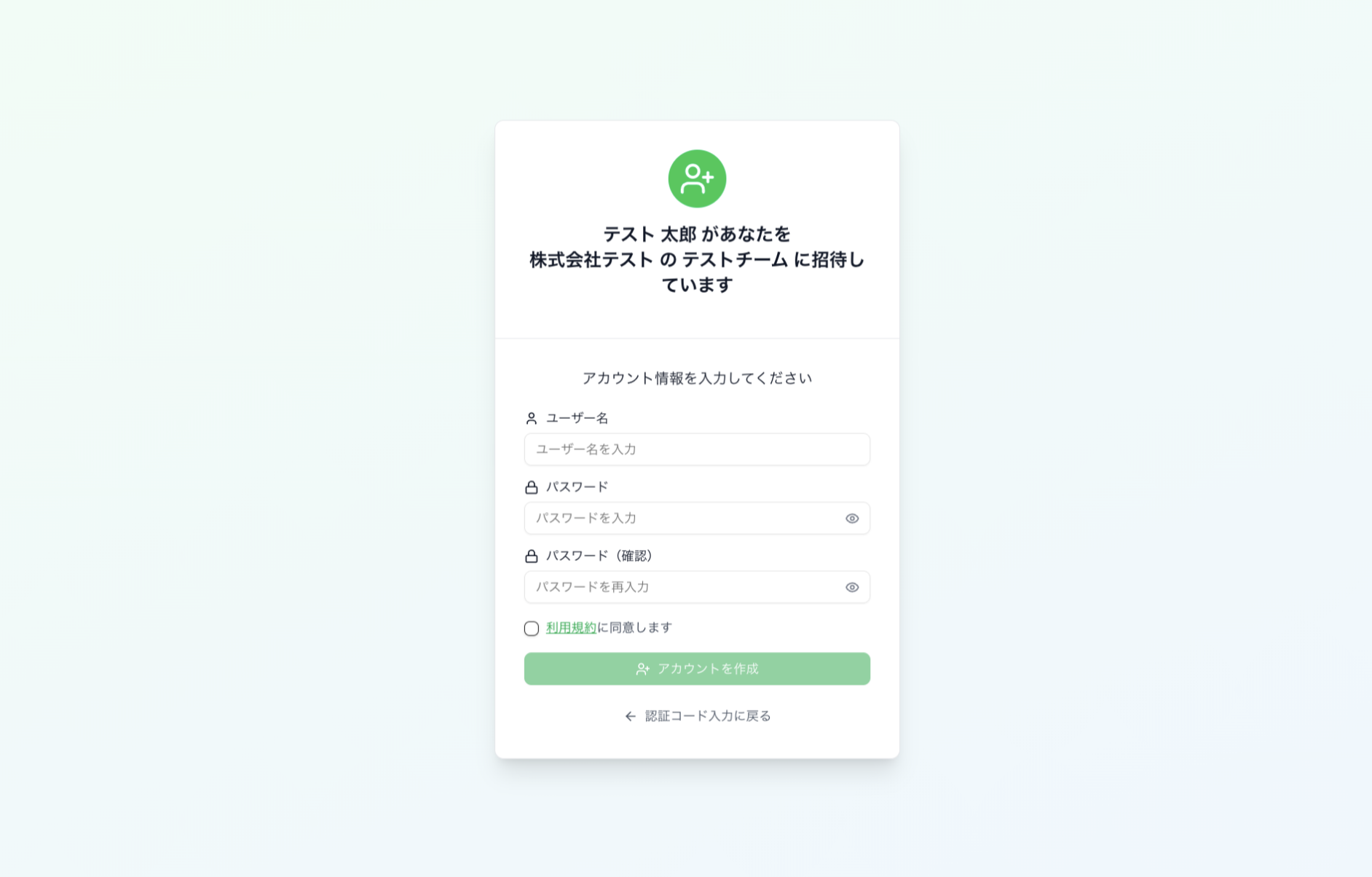
### Step 5: Create Account \[Browser\]
Enter your account information (username and password), agree to the Terms of Service, and click **"Create Account."**
> 💡 **Password Requirements:**
> Your password must meet the following criteria:
>
> - At least **8 characters** long
> - At least **one uppercase letter**
> - At least **one lowercase letter**
> - At least **one number**
> - At least **one special character** (e.g., ~ ! @ # $ % ^ & \*)
- [製品ページ](https://ollo.jp/ollo-factory)
- [会社概要](https://ollo.jp/about-us)
[](https://knowledge.ollo.jp/?hsLang=ja)
[mailto:email@email.com](mailto:email@email.com)
Copyright © 2026, 株式会社Ollo